
Seating chart
Every seat, at a glance
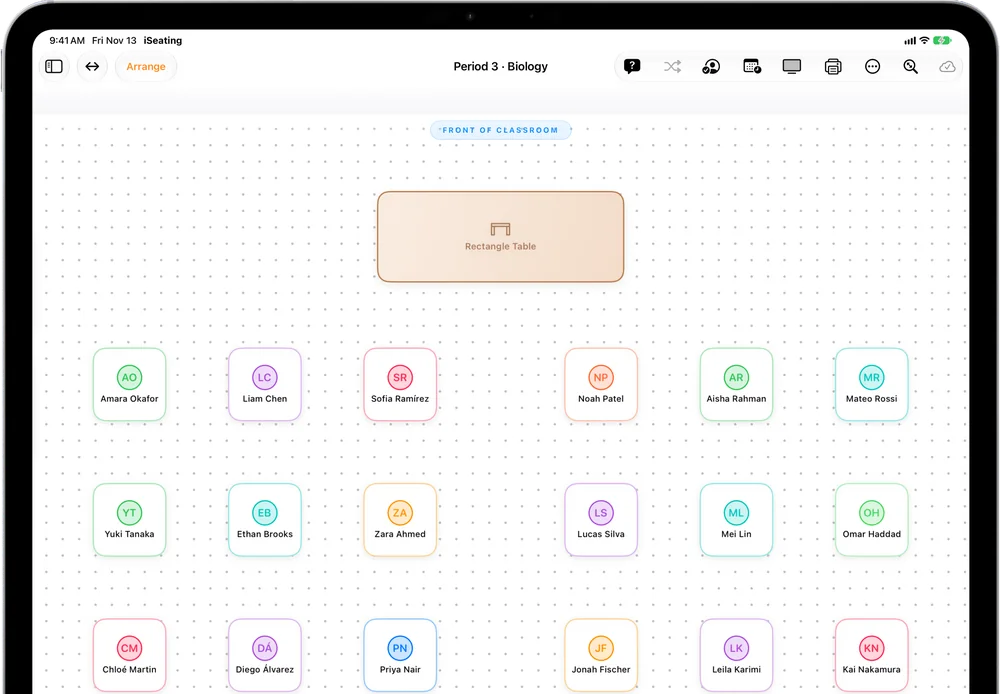
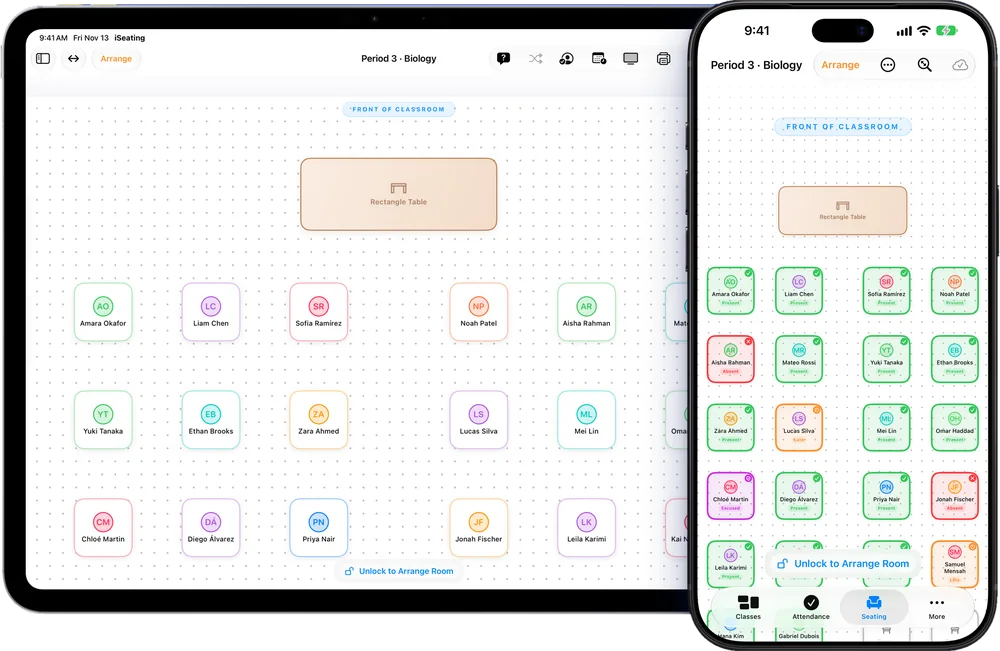
Your whole classroom on one screen. Each student gets a color and their initials, so you learn names fast and spot an empty chair faster.
Seating charts and attendance for teachers
The seating chart that takes attendance. Arrange any classroom in minutes, mark the whole class in a few taps and call on students fairly, from your iPhone, your iPad or any browser.
Features
See who sits where, who is here today and who you haven’t heard from yet. Everything else stays out of the way.
Seating chart
Your whole classroom on one screen. Each student gets a color and their initials, so you learn names fast and spot an empty chair faster.
Attendance Pro
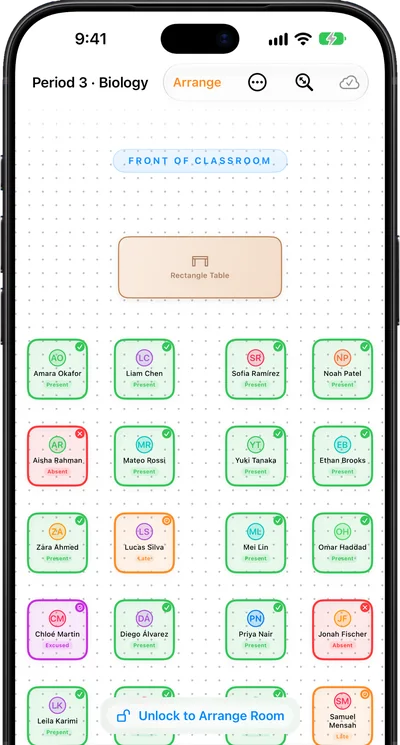
Present, late, absent or excused, right on the chart. Every status has its own color and a written label.
Roll call Pro
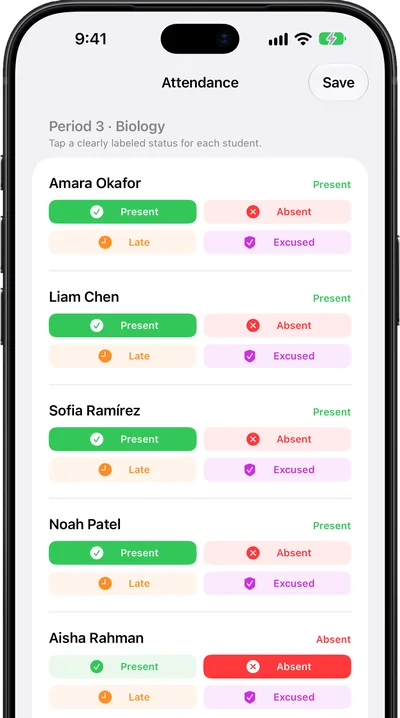
Prefer a list? Go down the roster with clear buttons for every status, then review, correct and export any day’s attendance.
Room layouts
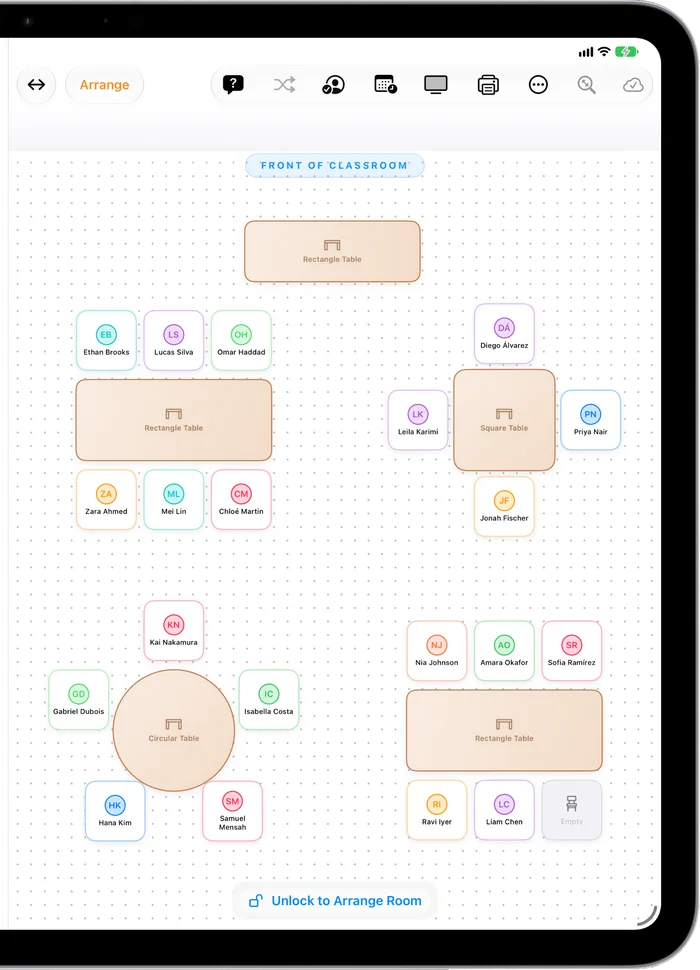
Rows, groups or tables. Drag seats into place one by one, shuffle the class when it’s time for a change, and save the layout you like.
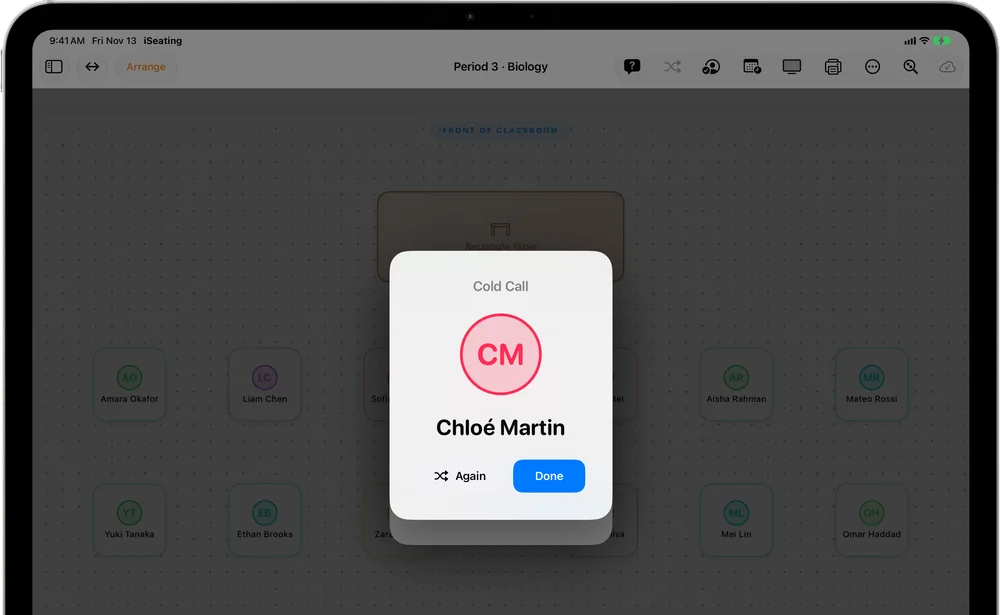
Cold Call Pro
Pick a random student with one tap. No popsicle sticks, no favorites, and every student gets a turn.
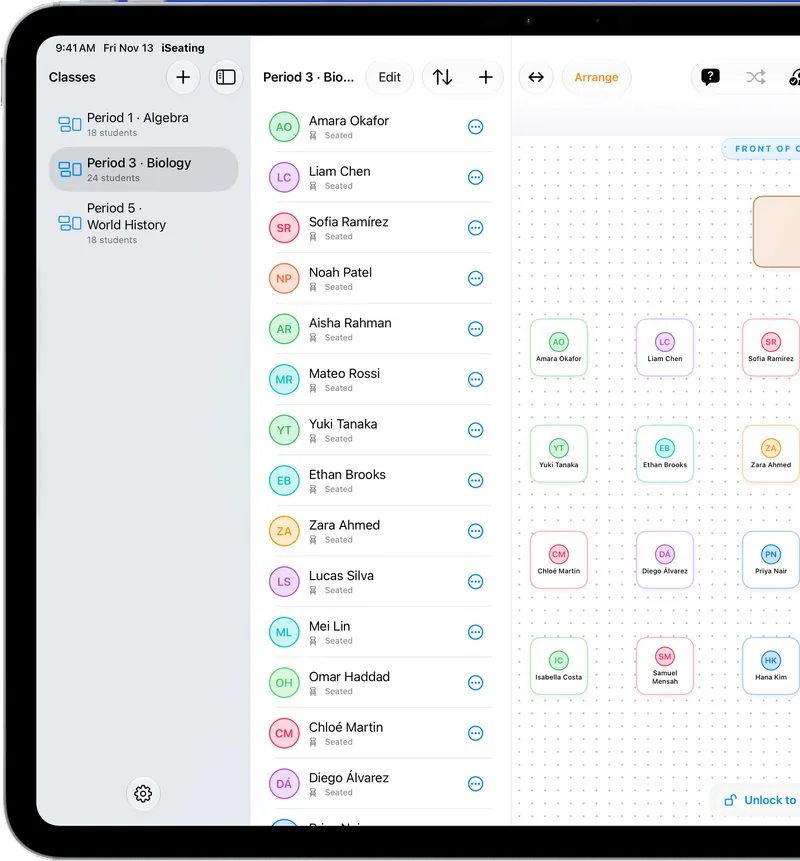
Classes
Every period keeps its own roster, chart and saved layouts. Switch class and the room rearranges itself.
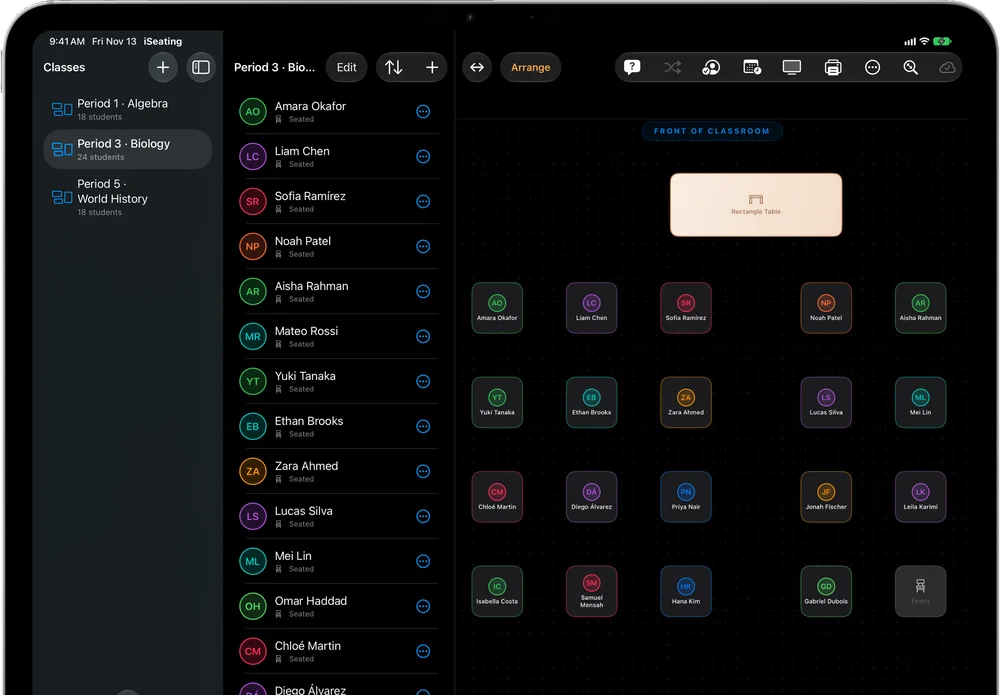
Dark mode
A full dark mode that’s easy on the eyes when the lights go down for a film or the projector comes on.
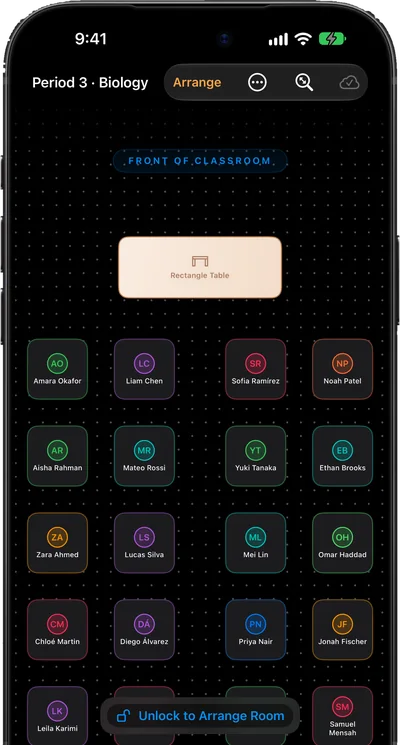
iPhone, iPad and iPhone Duo
Plan the room on the big screen. Take attendance from the doorway with the phone in your pocket.
Universal app
One download for both. iPad gives you the whole room with the roster alongside. iPhone keeps the same chart one thumb away.
 Coming soon on theApp Store
Requires iOS 16 or iPadOS 16 or later.
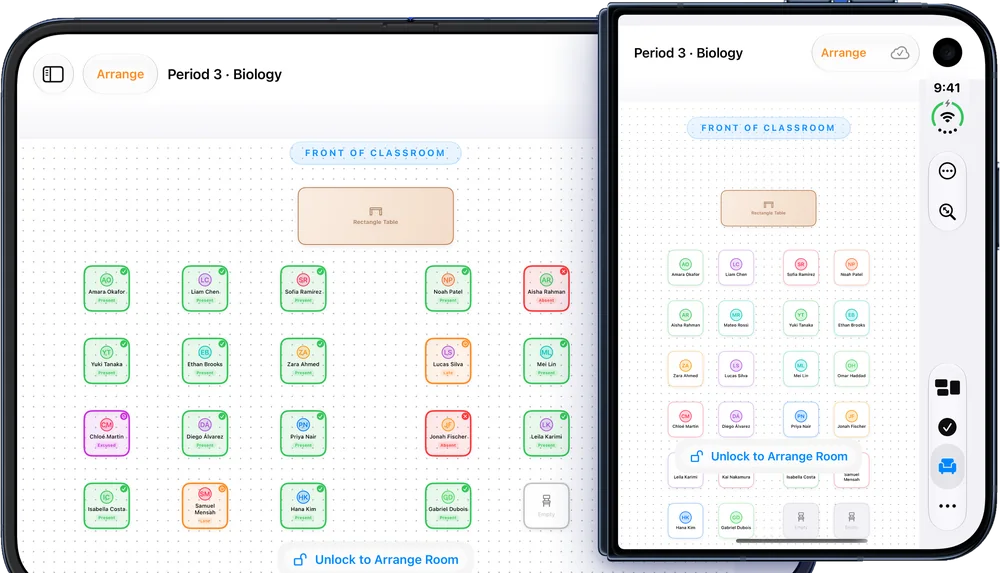
iPhone Duo
The full app on the cover display, and a roomier chart the moment you open it.
Sync
Sign in and your classes are already there. Change a seat on one screen and it shows up on the others.
Web app
Open iSeating in a browser on a Chromebook, a Windows PC or a Mac. Sign in with the same account and pick up exactly where your phone left off.
Front of classroom
Cold Call
Live preview. Tap a seat to change its attendance.
Put a clean, student-facing chart on the projector so everyone finds their seat.
Print the seating chart for a substitute, or an attendance report for the office.
Bring in a class list with first and last names. A template is included.
Runs in any modern browser, so it works on the computer your school gave you.
Student privacy
iSeating stores only what a teacher needs to organize a room, and it belongs to your account.
The app never asks for, accepts or stores them.
Student information is never sold or used for advertising.
Only teachers sign in. Students never need a login.
Remove your account and its classroom data from inside the app. How deletion works
Pricing
Start with a full seating chart at no cost. Upgrade when you want attendance, Cold Call and room for every period.
$0forever
Everything you need to seat one class.
Everything in Free, plus the tools for a full teaching load.
Prices in US dollars and may vary by region. iSeating Pro Monthly and iSeating Pro Annual are auto-renewable subscriptions that renew unless cancelled at least 24 hours before the end of the current period. Pro applies to every device signed in to your account. Terms of Use · Privacy Policy · Apple EULA
FAQ
Something else on your mind? Visit Support or write to support@iseating.app.
Yes. The Free plan is permanent, not a trial. It covers one class of up to 30 students with a full seating chart, CSV roster import and one saved room layout.
Pro adds unlimited classes, up to 100 students per class, attendance tracking with history and export, Cold Call, student notes, unlimited saved layouts and seating conflict rules. It costs $4.99 per month or $39.99 per year.
iPhone and iPad running iOS 16 or iPadOS 16 or later, including iPhone Duo folded or open. The iPhone and iPad app is coming soon on the App Store. On a Mac, Windows PC or Chromebook, use the web app at app.iseating.app.
Yes. Sign in with the same account and your classes, rosters, charts and attendance are on every device. Your Pro subscription follows your account too.
Yes. Import a CSV file with First Name and Last Name columns. You can download the roster template to get the format right.
Only what you type in: class names, student names, seating, optional notes and attendance. It never accepts student photos, shows no ads and does not sell data. The Privacy Policy has the details.
A subscription bought in the app is billed by Apple: open your App Store subscriptions to change or cancel it. For a subscription bought on the web, write to support@iseating.app and we’ll help.
You can delete your account from inside iSeating at any time. The Data Deletion page explains each step and what happens to your classroom data.

Seat your first class in a few minutes. It’s free to start on iPhone, iPad and the web.